I'm not the kind of person that lines up outside a store in order to be among the first to get a new product. I even had the self discipline to use the slower Super Saver Shipping option on my FSX preorder. Nevertheless, Tuesday evening found me hitting the refresh button on my browser again and again, waiting for the SP1 download to appear. The truth is, I just wanted to fire off the download before going to bed. Still, it was a little exciting : first, the announcement that it would soon be available. Then, the download link on FSInsider (alas, it lead to a 404 error). Then the update to the FSInsider front page, with a link (still 404'd). The forums were buzzing with each development. Finally, the link worked! The download was in progress!
But I was good. Even after I realized that the download was going very quickly, and would probably be done in about 20 minutes, I walked away from the computer to go to bed.
The next morning, I scanned the forums an saw that most people were very happy with this patch. This inspired me to do a hasty install and a quick flight before going to work. First impression: looks good.
Last night I had a quite a while to try it out. It is a noticable improvement. I didn't do the calculations, but informally I can say that a I believe I have at least the promised 20% improvement in FPS. What is even better, is that I see a dramatic improvement in panning response. Finally, "real-time panning" is possible. Previously, there was a delay in using the number keys for side views, etc, and using the hat or mouse to pan was painful. Often there was such a lag that I would over-pan, and find myself looking at the tail. Now it is very smooth and natural. It is a little ironic that the feature which most excited me about FlightGear the smooth panning, is what has been most improved in FSX.
 I flew around the highly-detailed Logan Airport, with about 33% traffic and airport vehicles, and FPS averaged in the mid teens. I kept waiting for it to get bogged down, but it didn't happen. I did have a few short pauses, but I can live with that as long as it only happens in the busiest areas.
It's not perfect--I've had a few hangs, and there are a few glitches, such as the scary-looking blank message window (see below). This is the loading progress indicator, and it usually is blank for a few seconds before the progress bar appears. Also, the dusk textures have been improved, but look at the night landing shot-- why are the skyscrapers on the left unlit? Looks like a power outage. Also, you may notice this shot shows a case of the blurries. I almost never see them, but they are not yet extinct.
I'm looking forward to re-exploring FSX.
Wednesday, May 16, 2007
SP1 first impressions

Tuesday, May 15, 2007
Some more FG shots

Here's some more FG screenshots, as promised in an earlier post. I collected these in a hurry, having already spent too much time on this blog lately.
If you're a regular visitor to this blog, you may have noticed I'm posting more frequently than normal. There are two reasons for this. First, I'm very excited about FlightGear, and I want to help make it better know in the larger flightsim community. The other reason is that as of last week it became clear that the FSX SP1 is going to be released some time this week (see Phil Taylor's blog.) Therefore, I wanted to get the FlightGear posts out before the collective attention of most of the flightsimming community is focused on trying out SP1. Incidently, I'll be one of the first in line for SP1, and will let you know how it goes for me, as soon as time permits.
However, for the moment we're still considering FG. As I said before, I will keep coming back to FG, and this is true even if SP1 exceeds my wildest expectations. FG is great fun, and the ongoing development will be interesting to keep up with. For a project that expressly does not have its primary focus on visuals, it can look pretty nice at times. If I had a spare hour or two I'm sure I could come up with even better shots than these. 
This is not so say that FG always looks this good. There are times when it can look not-so-good (visit a major city, for example, and fly low). Also, take a look at the last shot. Are those Gateway computer boxes? I do hope this was done tongue in cheek.
I do hope I've inspired a few people to try out FG. If you're not running FSX, why not try FG now? If you are running FSX and axiously awaiting SP1, don't forget about FG. Maybe you should add a bookmark for http://www.flightgear.org.

Sunday, May 13, 2007
FlightGear saved flights-- A Dummy to Dummy Guide

This is the first in a possible series of Dummy to Dummy Guides. I use this term not because I think you or I are a dummies, but because for my part I don’t claim any expert backgrond, and for your part I assume no special knowledge of the topic at hand. The solution provided works for me, and I expect it will work for you, thats all I promise. I is quite possible there are smarter ways to solve the problem.
Today, I show you a way to "save" a flight in FlightGear and get a clickable shortcut to your desired flight. Using this method I find I can go from desktop to tarmac in 30-40 seconds.
A note to those still considering whether to install FG: if all this sounds too complicated, don't let it scare you away from FG. You can forget about this stuff and just to use the wizard, which is very easy to use, to set up your flights.
The approach is straightforward:
- When launched from the command line, FG uses the preferences.xml file in the FlightGear/data directory to determine setup for the flight. This file contains default settings.
- We're going to make a copy of this file, and hand edit it to create our desired starting conditions for a flight.
- We can do a switcheroo between our custom preferences and the default, and launch FG from the command line.
- We can create a batch file to do this automatically, and give us a double-click way to start our favorite flight.
- Repeat as necessary for each alternate scenario.
If you've never written a batch file before, don't worry. A batch file is basically a text file containing commands you could enter at a command prompt. You should be able to just cut and paste the text below into a text file (use simple text editor such as Wordpad, not Word), and then save the file with the .bat extension. When you double-click on it it will run the commands. You will only need to edit this text if your installation is not in the normal place, or you decide to name your custom file something different. Note that this script will make a backup copy of the default preferences before copying your custom one over, and then restore the original afterwards.
If you're not familiar with xml files, they are simply text files written in the xml format. An xml file doesn't do anything, it just presents information in a way that other applications can easily parse, while remaining human readable. You can edit the xml file in any standard text editor, but it will be a lot easier to get around large xml files if you use an xml-specific editor, such as Xmlpad (free! Google it if you want to try), as shown in the screenshot. This image demonstrates how you can navigate through sections on the left panel, and make edits on the right side.
As for the actual edits to the xml file, I will leave that to you to figure out. Most of the tags you will want to edit are self-explanatory. For the airplane, you will need to know the correct name the simulator uses for that plane. For starting airport, you will need to know its ICAO name. For these and some other values, you can check by calling up the wizard, making your selections, then checking the "show command line" option. Many of the options you set in the wizard can be turned on or off by using either "true" or "false" in the property value. Have fun experimenting with options. Just make sure you backup the original version before you start, and work with a file that you have saved a different name, such as my_preferences.xml (this is the name to use if you want to use my batch script as is).
I suggest you work on one custom file for a while until you get all the options the way you want them. Then, you can copy this for other versions for different options (plane, airport, etc). Create a separate batch file for each custom preferences file.
Here's my batch file (cut and paste between the -------'s):
-----------------------------------
SET FG_HOME=c:\Program Files\FlightGear
SET FG_ROOT=c:\Program Files\FlightGear\data
SET FG_SCENERY=C:\Program Files\FlightGear\data\Scenery;C:\Program Files\FlightGear\data\WorldScenery;
cd "c:\Program Files\FlightGear\data"
copy /Y preferences.xml bac_preferences.xml
REM edit the next line of you custom preferences file has a diffferent name
copy /Y my_preferences.xml preferences.xml
"c:\Program Files\FlightGear\bin\win32\fgfs.exe"
copy /Y bac_preferences.xml preferences.xml
pause
-----------------------------------
Drop me a comment if you try this and run into any trouble. Also, if you know of a more clever way to do this let me know.
Finally, a few fun pictures. The first two show the trees I've added to 9B1, using the process described in the previous post. As I've mentioned before, this is true-to-life and keeps you on your toes when landing. FG trees can be flown through without harm, though. Another odd thing is that these trees are one sided and appear transparent from the "back". I ended up copying a bunch of them and specifying a rotation of 180 degrees.
The last shot shows a neat effect that MSFS has not been able to accomplish: the airplane shadow correctly projects on scenery objects. I hope this doesn't go away with the next version of FG.


Friday, May 11, 2007
Whoa! FlightGear scenery design!

The more time I spend with FlightGear the more I love it. I've spent the last week flying nothing but FlightGear. I got some neat screenshots I hope I get a chance to share soon. I'm sure I will go back to MSFS after the novelty of FG starts to wear off (or FSX SP1 is released, whichever comes sooner), but I know I will continue to fly FG. I'm working on a kludge that will let me sort of save favorite flights (this is not built into FG, suprisingly). When that is done I will be a double-click and about 45 seconds away from my favorite flying situations any time I'm at the computer. If my kludge works, I will share it here.
The above shot (by the way) shows my first attempt at scenery design, adding a few buildings around my local airport. Sure, the buildings are kind of cheesy, but cheesy rhymes with easy. The whole project, from never-having-done-it-before to flying with the new scenery took all of 5 minutes.
What makes it work is that the UFO "plane" in the FlightGear 0.9.10 is actually an object placement tool that allows you to place scenery objects with a mouse click. You can read the whole procedure on the FG Wiki here, but in brief, what you do is fly the UFO to the desired location (the UFO flies like skew mode). Then call up the airplane help ('?' key) and that will tell you the commands you use to place objects. There is a command to output the information to the terminal, and then you paste that gobbledegookto the appropriate scenery file, as explained in the wiki article.
You can only add from the included scenery objects, which is a pretty limited collection. There's probably a way to get more, but that may require getting deep into the developer's world. Anyhow, there's enough generic hangars and buildings so that you can make your airport look less like they've bulldozed the place and are about to rip up the runway and put in a subdivision.
Maybe (probably) you're not very impressed with this scenery. But it does help a little with the suspension of disbelief when the airport has some features vaguely reminiscent of its real-world component. I was lucky to find a quonset hut, because this airport really has one (see photo, a few posts back). I will go back and add a few trees in front of the runway.
Anyhow, the crudeness of the objects has one advantage, and that is I will not be tempted by the desire to tweak it to perfection.
Now that I've gotten a glimpse of how scenery works in FG, I'm going to look into whether I can get rid of that fictitious tower, and adjust the location used for the tower view. If I figure that out I'll share it here.
Thursday, May 03, 2007
FlightGear Mini Review
I'm a great fan of open source software. Some of my favorite of these programs are the Gimp (Photoshop alternative), Inkscape (drawing), Audacity (digital recording and editing). These products are the efforts of many people over a long period of time, and reflect a lot of hard work and pride in what they do. For us mortals, they give us a chance to dabble in things like image editing without having to spend a lot of money on a professional grade software package. Plus, the open source ethos is refreshing and inspiring in its own right.
For a while I have known of an open source flight simulator, but until now I hesitated to give it a try. I finally gave into the itch to click the download link. Now I wish I had not waited so long.
The simulator is called FlightGear, and you can get information about it and links to downloads here. You can tell from these screenshots that no, it will not replace MSFS for most people, but it still looks pretty decent. I should emphasize the fact that this is a work in progress. In fact, it is not even up to version 1.0, the latest being version 0.9.10. If you visit the web site don't be scared away by talk of compiling source code and such. There is an automatic installer for windows that works well, and there is a GUI for launching the simulator, as well as a menu driven interface within the sim. There are also installers for other platforms, but I have not tried them.


Why should you consider FlightGear? One reason is if you like open source software. Another is if you just like to tinker. Perhaps a more compelling reason is performance. Your mileage may vary, but I find that it flies extremely smooth, compared to MSFS. There is absolutely no hesitation when I pan the view around. I have noticed microstutters on a few occasions, but overall I don't give a second thought to frame rates. Still another reason: if you have an older, slower computer in addition to your flightsim computer, why not see how FlightGear will run on it? It won't cost you anything beyond the inconvenience of a large download.
The graphics both inside and outside the plane do not measure up to FS2004 (certainly not FSX), but given to performance gain, it's not a bad trade off. The airplane models vary greatly. I've found a few with pretty decent virtual cockpits, such as the Cub, the 172, and the Beaver, and the Warthog. The scenery also varies in quality. Some rural textures look pretty nice at altitude (the haze effect helps a lot), but some of it looks a bit cheesy. The autogen trees are o.k., but the buildings will make you feel nostalgiac for FS98. In fact, I've been keeping an old installation of FS98 on my hard drive, because I like to occasionally run with really fast framerates. However, its probably time to uninstall FS98, because FlightGear runs just as fast, but looks so much better. (I leapfrogged from FS98 to FS2004, so I can't say how it compares to FS2000 or 2002.)
Another interesting feature is that there are several approaches to flight modelling to choose from. I haven't experimented with this much, but it is intriguing.
So I encourage everyone to give it a try. A word of warning, though: to get the most out of this you'll need at least two propellers: one for your hat, as well as one for your plane. Still, if one is able to accept limitations (such as not being able to assign joystick buttons) you can use it out of the box. If you want to stick that propeller on your cap, then you can customize your joystick or just about anything else in this sim.
Likes
1. Fast, smooth performance (YMMV)
2. Instant change of time of day or weather.
3. True overcast, convincing from above or below
4. True sloped runways.
5. Aircraft self-shadowing.
6. Chase plane spot view, where the chase plane banks with your plane.
7. Quick start up.
8. It's free!
Limitations
(I don’t like being negative about free software, but I offer this for those who are deciding whether to download this software)
1. Poor landing effects (sounds are weak, no visual effects like smoke puffs or splashes)
2. Only one season, as far as I can tell
3. Can’t change airplane without restart
4. Not as easy to save and reload flights
5. Sparse autogen, and sparse AI.
Sunday, April 29, 2007
Virtual Earth

I've discovered an amazing new virtual representation of the world, Virtual Earth, a plugin for Microsoft's local.live.com. I've been using and enjoying local.live.com for a while, but last week when I visited the site it offered to install this plug in . There's a full description on Wikipedia here. All I can say is wow.
They've added detailed buildings to many major cities, and if you are lucky enough to know any of these cities well, you will be amazed at the number of buildings that are modeled. My city is Boston. I spent years there as a student and working, and I was suprised to see it's not just the landmark buildings that are in 3D, but virtually every multi-story building in a very large radius. All of these building models have photographic texture from the actual building (low res, to be sure, but still...). I can't imagine the man-hours necessary for this, or else a program that could automatically create 3D from 2D images.
The images from top to bottom:
- A chunk of Boston. No particular landmark buildings, just an example of "regular" buildings accurately captured.
- A chunk of BU. I got my Master's degree in the large modern brick building off center, above the green pointer. The stepped building in the background is the Hyatt Regency, accross the river.
- St. Paul's Catholic Church, outside of Harvard Square. This is maybe 3 or 4 miles outside of Boston, yet look at the detail in how the building is defined. By the way, the is the church I was married in!
- Where I worked for 5 years, in Cambridge. Some 5 or 6 miles from Boston, but nevertheless accurately rendered.
- Some non-descript commercial buildings in Cambridge. The one in the foreground is where I bought the computer I am working on now.
- and 7. Some of Seattle, just to give you a taste of a different city. Note one of the occasional goofs in picture 7. On the building in the lower right corner, you can see some of the roof texture painted on the side of the building. Since the roof is covered with parked cars, this looks really weird.


Will we ever see the likes of this in Flight Simulator? It seems unlikely they could ever manage this much detail in FS, but who knows? Fifteen years ago, who would have been bold enough to hope for what is in today's FS?


Saturday, April 21, 2007
Fighting scenery tweak-itis


I've been messing around with scenery design a lot in the last few days. I'm still using the Object Placement Tool included in the SDK. It works ok, tho it has its quirks. For example, I have trouble moving an object when I re-open a scenery file. Another quirk is that if you re-scale an object after you re-open it, it apparently keeps it's original crash zone size. I found this out the hard way by crashing into a tree, even though it didn't look like I was anywhere near it.

The images in this post show my progress in making my home town, Marlboro, MA, more like the real thing. The photos are from Microsoft's local.live.com. You can see nothing is precisely placed, but I'm starting to get closer. My challenge now is to resist the urge to keep going back again and again to tweak. It starts to become obsessive after a while, and the worst thing is that it cuts into my all-to-rare flying time.
A couple of comments on my work. I like the airport now, I only wish I could have the road abut the end of the runway as it does in real life. Adding roads to the scenery is magic beyond my ken, and I don't want to invest the time in figuring it out. I did add a fence at the end of the runway. In reality there is a chain link fence with a stop sign on it (hah hah!). Landing a little long can get really expensive. I also added the house beyond the runway as an additional hazard. The static planes and cars really bring the place to life. The airport buildings are only approximate in type and position, as you can see. I also added some nearby landmarks, such as the greenhouses and the enclosed tennis courts. I only wish I could suppress that horrible big autogen building above the Cub's left wing.
The second series of pictures shows Marlboro's historic Main Street. Unfortunately autogen houses and trees clutter it up a bit. Still, it has enough of a semblance of the real place that it makes it a lot fun to fly around the place. I notice now I scaled up the size of the building in the lower left corner a little too much. I think I go and resize it a little. Last tweak, honest!
Saturday, April 07, 2007
Because it's cool, that's why!

An amazing new discovery! FSX SDK (available in the Deluxe version) includes a scenery object placer tool. This fact was brought to my attention in a comment on one of the forums. The comment also pointed out a very helpful guide, available at Avsim (search for making_scenery_with_object_placement_tool.zip). Essentially this is an interactive, WYSIWYG tool that lets you place any existing scenery object wherever you want. If you have FSX deluxe, and you install the SDK, then you have all you need.
You place objects by selecting an object from a list and clicking the Add button. The object will be placed wherever the view crosshairs are at the moment. You can then manipulate the object further: rotate, translate, scale etc. In addition you can assign other properties, for example at which level of scenery complexity is necessary before your object will appear. This last feature is handy because the default autogen airport buildings do not show up unless the complexity setting is set to dense. Finally, you can save and compile the scenery. Full details are in the guide I have mentioned.
What does this mean to me? I can finally indulge in scenery design, something I've long wanted to try, without any addons and without a lot of tricky hand coding. Now I can try to make my local airport look something like its real-world counter part. I'm not going to be a stickler for absolute accuracy; I'll be happy with getting it pretty close. Mainly what I'm looking for is some static aircraft parked in the right place, and some old-looking hangars. Some cars in the parking lot would be neat. Maybe some trees placed too close to the runway, as they are in real life.
The first image shows a quick proof of concept. Nothing is really in the right place, but it gets the idea across. Yes, I know its a lousy screenshot, but that is because I had the scenery sliders set very low to help performance while I used the scenery tool. The second shot shows a test of whether the added objects are crashable (they are!)
But what does this really mean? Why do I want to start down this path when I don't even have enough time to fly? Will this really enhances the experience of "flying" that provide so much relaxation to me? I must be very careful not to let this side project become a time drain. I've done some reading on scenery design, and I know there is so much more to it than this kind of thing (afcads, excludes, flattens, etc. etc.)
This gets back to the dichotomy between "tools" and "toys" that I've discussed here from time to time. Scenery can easily become a toy, that is, just fun stuff to look at. And scenery design could become a sort of puzzle, where the satisfaction comes in getting things to arrange exactly as you wish. But scenery could also become a tool. If I get those trees placed right, then I will be making this small airport more like the real thing, and I may have to sharpen my pilot skills some in order to keep on making decent landings. A few static airplanes will force me to taxi around in a more orthodox way.
However, I think the scenery design I am likely to do tends to be more in the toy category. I really should not spend too much of my very limited spare time on this, when I could be "flying" more. But in spite of this I can't resist giving it a try. When I search my soul about this, the answer comes down to, "Because its cool!"
Wednesday, April 04, 2007
Visibility tip

Here's a quick tip to add some realistic atmosphere to your flights, and probably increase simulator performance. This may be ancient headgear to many of my readers (if I have many readers, that is), but for those who have not spent much time creating weather, then try this out.
It's really very simple: just decrease the visibility in the custom weather setup to 30 miles or less. In the screenshot here, I have it down to 20 miles. This will create a hazy atmosphere in the distance, which I find much more realistic. This shot looks like a humid summer day in New England. Whenever I set up custom weather I always reduce the visibility distance.
This will most likely increase your performance too. I know this to be the case in FS2004, and it probably true in FSX, but since I have not tested it systematically I will stop short of stating it as a fact. The reason it should help performance is simply that the sim doesn't have to worry about rendering objects beyond the visibility limit.
So go ahead and play with this slider-- you may be delighted with what you see.
Friday, March 23, 2007
Default choices

At the risk of sounding like an FSX Cheerleader, or of being hopelessly provincial, I have to admit that I am hardly ever tempted to move beyond the default aircraft included with FSX. Part of the reason is the limited number of addons, free or otherwise at this point. (Actually, I open myself up to another accusation, one which I cannot deny, and that is being a cheapskate; I once considered calling this blog The Frugal Flightsimmer. There are some payware packages that do look pretty tempting, the Airplane Heaven Tiger Moth, for one. If I splurged on some of these packages I might spend a lot less time in the default hangar).
However, I think the main reason I fly the default so much is that they've covered most of the bases that interest me, and they've done a really good job in my opinion. If I want a basic get around plane, one that I'd most likely fly in real life when I win the lottery, I've got the good old 172. If I want something vintage and light, there's the cub. If I want a bush plane, there's the Maule and the Beaver... you get the idea. The only real gap, for my needs, in the default lineup is a good biplane. I have installed Dave Eckert's most excellent Stearman and also the Long Island Classics Christen Eagle II, so I'm all set when I'm in a bipe mood.
I do miss some of the Bill Lyons planes I flew so much in FS9. A few of them are compatible enough to work with FSX. However, and it makes me sad to say so since Bill is one of my flight sim heroes, they are starting to look their age. The clash between the high-res outside view and the less-than-high interior is noticible. Even so, I do fly the Travel Air and the Tripacer from time to time.
Let's hope there are some young freeware designers out there working on some new must-have planes. Some day I may look back nostagically at the time when I just flew defaults.
Wednesday, March 14, 2007
Silicon dreams
This morning I was musing on my last post, the one about letting my plane go on autopilot while I was busy with other stuff. It's kind of an odd thing to think about-- the computer working hard to create a virtual experience while no one is watching it. I thought a little further: what if the monitor were turned off? The computer would work just as hard, of course, since it wouldn't know the monitor was off.
All those electrons would be zipping around, the 2.3 GHz CPU going full tilt, the graphics card slaving away, all to create, in some sense, a world of air, light, earth, water, seasons, weather, and the fascinating machines we love so much. Not only all these components, but the interactions between them. Light casts shadows and reflects, changing weather affects the flight dynamics, fuel is consumed. This all exists... where? It's as if it is all a dream, behind the closed eyes of the computer. This kind of thing boggles my mind. It's not like a book sitting on a shelf, unread. It's a dynamic, evolving space.
In a sense we are dreaming when we interact with this game. Just because we can see the simulated world that is being created for us doesn't make it any more real.
Sunday, March 11, 2007
Going on autopilot

Anyone who has ever experienced a new baby in the house knows that a good night's sleep is a rare thing. The knowledge that you are going to be interrupted every 2 or 3 hours tends to discourage staying up late. A lot of things in life go on hold. As you might expect, frivolous, time-consuming things such as flight simming fall victim to this new order. (I can't believe I just used "frivolous" and "flight simming" in the same sentence. A sentence that does not also contain the word "not".)
I almost never fly with autopilot in FS. To me, the whole joy of the thing is hand flying. I agree with what someone once wrote in one of the forums: "I didn't go through all this cost and effort just to let one computer fly another!". However, I've been using the autopilot lately to squeeze in a little "flying" when I don't have the time to do it for real. If I'm doing necessary stuff around the house, sometimes I'll fire up FSX, take off by hand, then fix the heading with autopilot. Then, every so often I'll walk by the computer and see what's going on. I like to see how the terrain changes, and what the weather ends up doing. These two shots are from just such a session.
Sometimes after a while I will disengage the A/P and try for a landing. Usually, these are not by the book; I'll employ drastic measures to lose altitude because I can't spare the time to do it correctly. But making it back to the runway, or a clear patch of ground, in one piece gives me a satisfying experience even though the flight was hands off for 90% of the time.
Thursday, March 08, 2007
Little guy's first flight
I discovered a possible new use (excuse) for flightsimming! The other night I was holding the new baby while sitting at the computer, and I fired up FSX. He started to get fussy as I was loading up a flight featuring Bill Lyon's Travel Air. But as soon as I throttled up the engine, and heard the roar of that great radial engine, he settled right down! Is this a new baby soothing technique? Experienced parents know that the sound of a vacuum cleaner can settle a fussy baby (I even made a cassette recording of vacuum sounds for the twins when they were babies!).
It's too early to draw conclusions based on one event, but I can see the possibilities. Baby fussing hon? Let me go take him flying. On the other hand (literally) its a bit hard to fly with a tot nestled in your left arm. Maybe its time to invest in a Track IR?
Thursday, February 22, 2007
Love those trees


OK, so these posts are getting very infrequent, but as I've said before, life is getting busy. The main reason is the birth of a new baby son, as announced in this thread over at flightsim.com. So, I thank you for your patronage, and don't give up on me, but I can't promise the level of posting I had maintained in the past.
The shots in this post highlight some beautiful tree landscapes as delivered by FSX. I have found that if I pick a fairly rural area I can crank up the autogen and still get good performance (by which I mean frame rates in the mid to upper teens with occasional 20's). It seems the tree autogen is a lot less demanding than buildings. Your mileage may vary, of course. This area is the Lakes Region of New Hampshire, a place I've spent a bit of time in. This density of trees really adds to the immersion factor, especially as you are coming in low and seeing the nearer hills looming up.
So what else is new? When I get a chance to fly next, I hope to spend more time in a fantastic (free) scenery addon, the Bella Coola region in Canada by Holger Sandmann. Look for the file bellafsx.zip at avsim.
Monday, January 22, 2007
Flying and music performance.
I play classical guitar, mostly at home but have recently began playing prelude music before church services. I realized the other day that there is a similarity between performing music in public, and flying.
The similarity lies in the dynamic-- you have a start, a middle, and a finish. More to the point, once you start, you have to finish. As the old aviation axiom goes, "takeoffs are optional, landings are mandatory". The difference, of course, is that performing is safer, unless one believes it is possible to die of embarassment.
Before starting to play, I have to go through a little preflight checklist. Do I know this piece well enough? Am I warmed up sufficiently? Oh, yeah, have a tuned the guitar to my satisfaction?
Then, the takeoff run. It's important to make a good start, because this is the first impression on your listeners. You don't want to start to slow or too fast because you'll be more or less stuck with that tempo for the remainder. Nerves can make you go fast,which can be disasterous if there are trickier parts ahead.
In cruise, typically things are easier. There may be a few bumpy spots, but things usually chug along without too much sweat. But you can't lose track of where you are--you have to know your exact location. One of the biggest disasters while playing is losing your place. Then you have to rely on your memory (mine's not the greatest), make something up until you find a place to re-enter the sheet, or worse of all, come to a dead stop. An analogy for the last case would be ditching in a field becuase you've run out of fuel and don't know where you are.
As one approaches the landing/ending, one feels some relief but also has the awareness that a mistake here could spell disaster. In the case of flying, this is obvious. For the musician, the danger is that a major foul-up is going to be the last thing the listeners hear, and will be the impression they take away. (The object when playing at church is not to make a good impression, but to facilitate prayer and meditation; a "bad landing" is going to be very disruptive in that sense).
There's a bit of an adrenaline rush when I begin playing, and a sense of relief when it is over. If I've done my proper flight planning before takeoff, I also have time to enjoy the view (sound) in the middle.
(Note: sorry for the sparse postings lately-- busy-ness and a bad head cold are to blame. Hope to have more posts (with pictures!) soon.)
(Note 2: I talked to Dad the other day and he is having a blast with the new computer!)
Wednesday, January 10, 2007
Dad's computer, part 3
I delivered Dad's computer last week. I planned on spending some time showing him what's new, which is not much, except everything runs faster. Actually, Golden Wings was new to him, but it works the same way as default FS.

I thought that I would let Dad do all the flying, while I gave tips, with the idea that you remember things better if you do them yourself. However, I soon found myself sitting in the pilot's seat and giving him the tour. Dad is very intelligent, but not too computer savy. At his age his ability to pick up new skills has slowed a little bit. He learns enough to get along, but mostly by remembering a sequence of actions. In other words, many things that become second nature for us younger folks are not second nature for him. The breaking point which made me jump in was when I wanted him to try out F1view, which requires depressing the middle mouse button, which in this case is a scroll wheel. He kept clicking the right button instead, which pauses the sim brings up that darn menu.

I'm sure by this time he's having a blast (and gotten comfortable with the middle mouse button). I mean to check in soon to see if he ran into any snags. Although I insisted he call me if he has any trouble, he's more likely to write a bunch of questions down and ask me next time I visit.
By the way, all of the screenshots are from the new rig. Extra-observant readers may note the low frame rate in the Sabre shot and think I'm exagerating how well the rig performs, but this is an atypical moment, and is a shot of a fast plane at Grimshaw's highly-detailed Logan Airport, with traffic! Mostly this machine gives solid mid to upper twenties.

Tuesday, January 09, 2007
Dad's computer, part 2
I ran into a little frustration trying to aquire the computer. I called my local Microcenter store, and it was out of stock. I asked if she knew when it would be in, and she said she didn't know, that they had deliveries every day and they never knew what was coming in. So, I called every day for a week with no luck. Then I called last week, got a different person, and found out that the model was discontinued!
Anyhow, I ended up ordering it online. They no longer had a special on it, and I had to pay shipping, grrrr. However, even with the standard shipping option, I was pleasantly suprised to find it was delivered by Saturday. I spent a good part of the weekend getting it ready.
The computer (a Powerspec 6002) seems to be a good machine given its low price, ~ $350. I threw in another 512MB of RAM (total 1 gig now), put in my old Radeon 9600XT, and recycled a CD/RW drive. My only complaint with the quality (so far, and hopefully forever), is that the ribbon cable for the optical drives was rediculously short. I barely got it to plug into the second drive. When I booted up the computer, it didn't see either drive! After a moment of panic, I reopened the case and determined that the ribbon cable had pulled out of the mobo. Fortunately I found a better ribbon cable in the deceased machine, and was soon back in business.
One other thing I liked is that, as a bare-bones system, it wasn't cluttered up with a lot of try-me software or useless Info Center stuff.
Once I got FS9 installed, I found it ran quite well. With all of the display sliders on highest or next-to-highest settings, I usually get frame rates in the mid to upper 20's with traffic, in all but the most dense areas. In rural areas it can run at 32 FPS (which I have it locked at).
Then it was tweaking time! My plan was to put some addons in, then make a copy for a Golden Wings version, and then put more addons in the separate versions. For the general addons, I put in reduced cloud textures, Freeflow New Enland, improved mesh for the northeast, the RealAir 172, and some Cub repaints. A couple of my favorite freeware planes (Eckert's Stearman, Lyons' Tripacer, etc) were installed so they would be available in both versions. Also, two indispensible utilities, F1view and the Recorder Module.
Next, I copied the whole shebang, renamed the copy to Golden Wings, and added that package and its updates. Then, I installed more planes to both versions. I added some AI airplanes and some traffic I had created for southern New England where we live. Finally, I added the superb Boston Logan airport scenery by George Grimshaw to the modern version.
In case you are not aware, all of the above is freeware.
I am very pleased with the end result. Both versions of the sim run well at fairly high settings. It runs at least as well, if not better, than my own system. In my next post I will report on the delivery and include a few screenshots.
Saturday, December 30, 2006
Buying a computer for Dad (part 1)
My father, who is in his 70's, has become a flightsim fan. He has had a lifelong passion for aviation. He took flying lessons as a teen (soloed in an Ercoupe!) but for various reasons was not able to keep up with it. Still, he loves airplanes-- reads books, magazines, takes rolls of pictures at airshows, etc.
For years he had been the recipient (victim?) of his children's old computers, whenever we upgraded. He attempted to get various flight simulators to run on them with less than satisfactory results. Eventually he saw FS9 running on my brother's laptop, and this became the holy grail. I determined that his latest hand-me-down was completely incapable of running FS9, I came up with a plan about a year ago to put together a system for him to run. It was an old Pentium III rig that I got from work, but at least it had a gig of RAM. I put a new 128MB video card into it, and it ran, albeit with pretty poor frame rates. Dad was thrilled nonetheless.
Well, recently the Pentium III's hard drive handed in its dinner pail, so to speak. No point in trying to patch up this old dinosaur any more, so I came up with a plan to get him a replacement computer. Even the low end systems that are selling nowadays should run FS9 with acceptable results, certainly much better than what he was used to. My own system is pretty modest and I am happy with how it runs FS9 (let's not discuss FSX here!)
However, sometime when I wasn't looking they stopped making PC's with AGP slots! Finding a basic CPU with a processor 2.3 GHz or faster, with half a gig of RAM and lots of hard drive space, for under $400 is easy, but they all take PCI-e graphics cards. I have a reasonably good AGP card that I want to reuse, and this is a vital factor in keeping the cost down. I finally did find one system that will work, sold by Microcenter (this one), but they are currently out of stock so I'll have to wait a bit until I can start to work on it.
I can't wait to do this. Compared to what he's used to, this new system will scream. Once I get the new PC I will load up FS9, then do a Golden Wings version, then add all of my favorite freeware planes and scenery. Toss in some must-have utilities like F1 view and the recorder module. I think I might buy another copy of Flight Scenery's Rhode Island package, since that's where Dad lives.
Thursday, December 14, 2006
Travelling places

I have been reading (well, listening to the book on tape) Paul Theroux's The Old Patagonian Express, and he mentions an interesting part of Colombia that he describes as the Grand Canyon, except green. Therefore, for last night's sessions I thought I take the Maule there and see what the country looks like. I started off in Armenia, a city he mentions after the green Grand Canyon episode. 
Since my flying time is so very scarce (time flies when it's flying time!) I did not do any research on the area or plan the flight in any way except to put my plane at the airport in Armenia (that's Armenia, Colombia, not the Eurasian country), go to top-down view, zoom out, and look for something canyon-like. So the flight plan was essentially "Take off and fly east. Oh, and watch out for the large mountains immediately to the east."
Eventually I got to a canyon-like object, but it was not very Grand. I might have been in the wrong part of the Rio Magdalena (or maybe this was the wrong river!) or maybe Microsoft didn't capture this topography quite right. I think there's a freeware mesh upgrade for this region--I may add that soon. Nevertheless, I had a great time flying, and the scenery felt exotic. It's amazing that this program has a continous representation of the entire earth, with some degree of fidelity. And, it looks so good! I don't think these shots do it justice.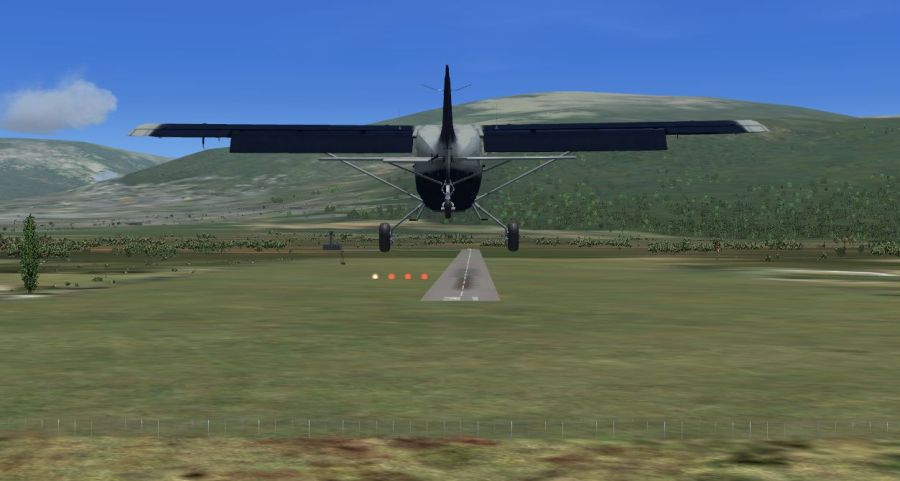
I guess what I am trying to express is the wonder about the fact that you can hear about some not-so-well-know part of the world one day, then just walk over to your computer, and in a few minutes be virtually there.
I had a very convincing sensation of flight during this outing. Near the mountains I hit some turbulence (while using the Fair Weather theme!). Looking downwards past my landing gear at the scenery, as in the second shot here, you see the wheel wobbling in relation to the scenery, and your point of view wobbling in relation to both. I really felt that suspended-on-a-string sensation you sometimes get flying in a light plane.
Friday, December 08, 2006
What it's all about
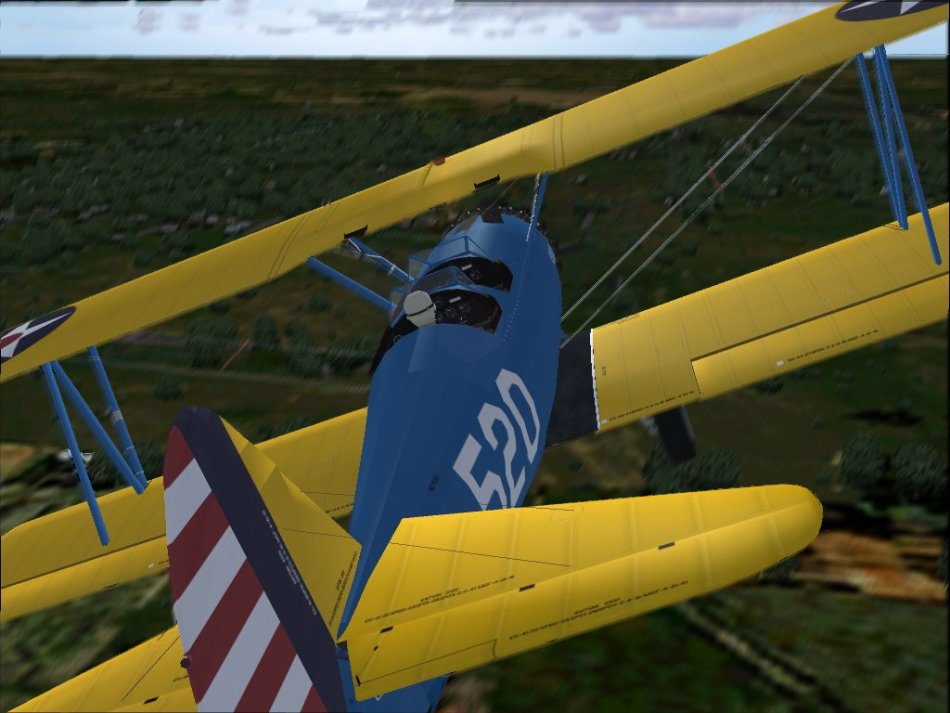
I came across this remarkable account on Avsim (I'd provide a link rather than this lengthy quote below, except I don't know how to provide a permanent link to their daily articles). This writer, who has much, much more experience than I in both real flying and simming, expresses eloquently how simming can allow our imaginations to soar. Thanks Carl!
By the way, Dave Eckert's Stearman is a must-have freeware for FS9. It also works beautifully in FSX, but requires a manual installation (tip: install to a dummy location, then drag the files to the appropriate spots in your FSX install. You can skip the scenery parts). Thanks Dave!
AVSIM fan Carl Avari-Cooper submits a short piece that I'm sure other readers can relate to, especially those past aviators who can only fly to lofty heights in the virtual world.
"Dear David and Crew (www.daviator.com):
I wanted to express my sincere thanks for a wonderful experience yesterday. As a kid, aviation fascinated me. Other kids drove pedal cars, I had a pedal bipe. Others dreamed about racing, I only considered flight. Later, I read everything I could get my hands on. Morgan and Baxter became two friends I looked forward to seeing each month. Anyway, I finally got a job as a line boy at our local field. Pumping gas, selling sectionals, the occasional quart of Aeroshell and E6Bs filled my work hours. After work, I washed airplanes, waxed airplanes, pushed airplanes- in short did all I could to bum a ride in anything I could talk my way into. I got my ticket and flew every chance I got.
As it often does, life got in the way and my old Champ flew off into the sunset. Raising two children, working and all the other sundries of life pushed airplanes back into the old dark and damp corner of my life. Every now and then, I hear a round engine and strain skyward until I saw the framework of two wings silhouetted against the light. Flight Simulator, has been my sole solace for years now.
All those years ago, every day I walked to the pumps, I would look out of the corner of my eye and see the prettiest airplane in the world. You see, in a corner hanger, very dusty and quiet, sat a white Stearman. She sat there, all alone, for years. I would walk over and eat a sandwich with her, pat her on a wingtip and imagine what I would be like to fly her. I could only think of Baxter saying, “She flies like a grand piano!” Every once in a while I would look around furtively, usually late in the evening, and if no one was watching, I would slip into the cockpit, grab that ball bat and peer through the grime yelling “clear prop”. I never did find out who owned her and I never did get to fly her. She never was quite forgotten though, and even when mooching time in a King Air, Citation or Aero Commander, I would particularly when breaking into severe clear on top, think of the old girl and long to feel her hold me up in the sky.
Yesterday, I came across your download. I was excited when I saw the visuals and decided to have a bit of fun. I turned the lights down low, adjusted the virtual cockpit just so and turned the sound way, way up. Starting at Vandenberg with everything off, I cranked up, watched the smoke bellow out and lost touch with reality. S turning out to runway 36 I did a run up and then was off. Tapping rudder right left right left then right again, I tracked down the runway, let the tail come up all by itself and then with some pressure she was off. I don’t quite know what your FDE is, but all of a sudden I knew what a grand piano felt like at 90 KIAS. With the radial bellowing, wires singing and a smile plastered all over my face, I turned crosswind and then downwind, coming back on the power to about 1800. I don’t know where a real Stearman smiles, but mine (ok, yours) climbs at full throttle, about 2100 and 85 KIAS, cruises at 1850 and 105 KIAS and descends at 1500 and 85 KIAS- all day long! Never in Flight Simulator, and I have flown this software since Apple IIc days, have I ever been so completely captivated by a PC Simulator (I’m just beginning to know Real Flight and PMDG).
Downwind, I broke out at a 45 and pointed her nose towards the Tampa skyline. She climbs and descends like an old New York elevator and cruises majestically, oblivious to any hurried thought. Watching the world slip by so utterly solidly, yet so unbelievable lightly was a transporting experience. Never has any light aircraft been modeled in FS so quintessentially and so perfectly. I could feel her huge and kite like, yet solid and reassuring, all around me; and with the speakers turned up enough- I could feel her when she grunted and growled as well.
All too soon it was time to announce position on Peter O’Knight’s Unicom, and making a left base to runway 21 I came back to 1500. She slowed to about 80 and I left her a bit high. Turning final with the wind whispering to me softly my eyes were moist and streaming. I came back on the power and nudged her nose a bit over, slipping to lose altitude and keep the asphalt in sight. The fence flashed under me and I held her off until she told me I’d better be done with this flying business, or she would be! With a chirp the mains settled and then I did my tap dance holding her straight. Once we were at a walk, I turned off and taxied to the FBO ramp, making the same familiar turns I did so often when ferrying planes over all those years ago.
With a burst of throttle, I swung her around and parked. Switching off was painful! So was the deafening silence after- amazing! After 20 years of wondering, I know what the old girl feels like- thank-you!